
 How to Reset Your Password
If you’ve forgotten your password or need to set a new one, follow these steps:
- Go to the login page and click on the “Forgot Password” link.
- Or, visit https://www.choruslogin.com/forgot-password.
Enter your email address and submit the form
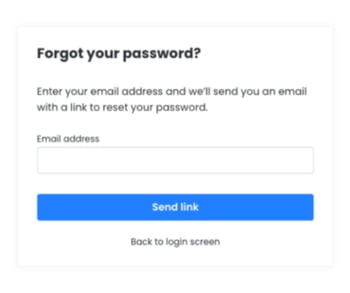
- You’ll receive an email with a link to set a new password.
- Important: This link is only valid for 24 hours. If you don’t use it within that time, you’ll need to request a new password reset link.
- Click the link in your email.
- Follow the on-screen instructions to create a new password.
- Once set, you can log in with your new password.
Didn’t receive the email?
- Check your spam or junk folder.
- If it’s not there, make sure you entered the correct email address or request another reset.
Still need help?
Contact support for further assistance - support@chorustraining.com.