
Keeping your profile up to date ensures your contact information and other details are always accurate in the system.
-
Go to the Account Settings Page
- Navigate to your account settings by clicking on your profile icon or name in the top menu.
- Alternatively, you can go directly to your profile page.
-
Update Your Details..
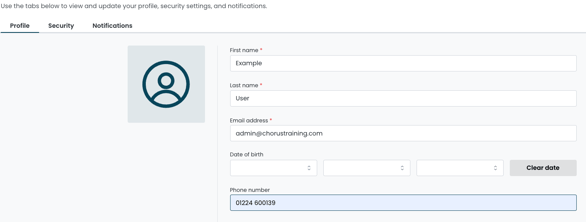
- Edit your personal information, such as your name, email address, phone number, or any other available fields.
-
Save Changes
Tip:
Regularly review your profile to make sure your contact information is accurate and up to date.