
Who this is for: Administrators and training managers.
Before you start
-
You need an administrator account, and your company must have the Competence or Compliance module enabled (if you don't see the Setup menu, this is why).
Create the role
-
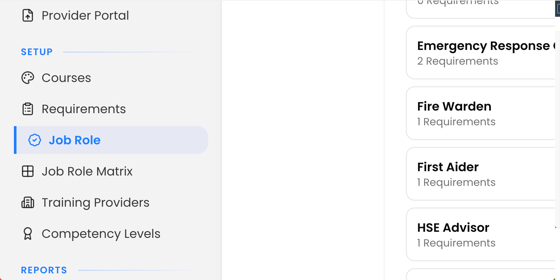
Select Job Role in the left-hand menu (under the Setup heading).
-
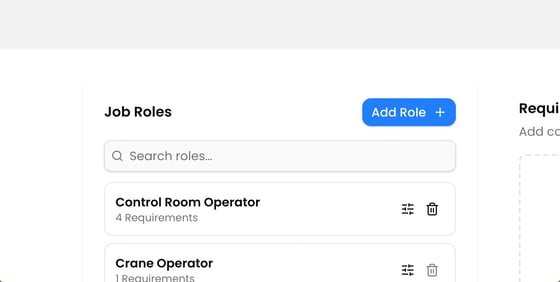
Click Add Role at the top of the job roles list.
-
Type a name into New Job Role Title and confirm with the tick.
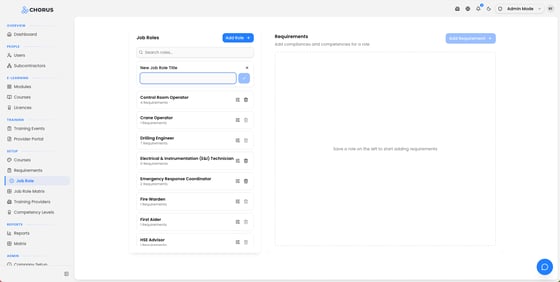
The new role appears in the list, showing how many requirements it currently has (none yet).
Add training requirements to the role
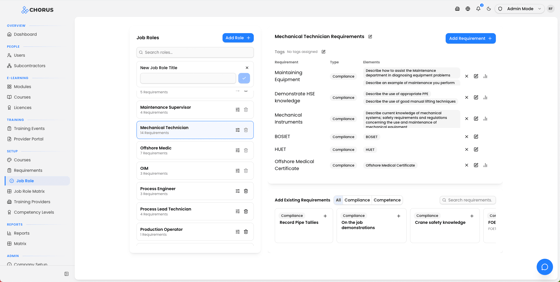
Select the role in the list, then add requirements using either method:
-
Add an existing requirement — in the Add Existing Requirements strip at the bottom, search for a requirement and click the + next to it. Use the All / Compliance / Competence filter to narrow the list.
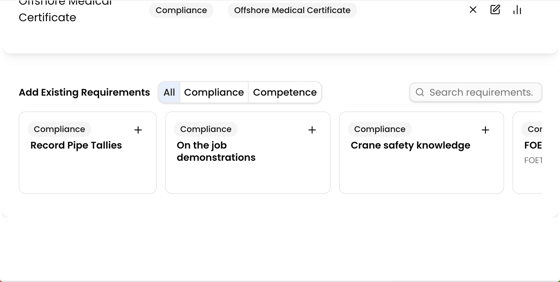
-
Create a brand-new requirement — click Add Requirement to open the requirement form. Anything you create here is automatically attached to this role (See Creating a training requirement for the full form).
Assigned requirements appear in a table with Requirement, Type, and Elements columns. You can edit or remove each one from there.
Rename or tag the role
-
To rename a role, select it and click the pencil icon next to its name, then Save, you'll see Job role renamed successfully.
-
To group roles, use the Tags field to add one or more tags, then Save.
What happens next
Once a role has its requirements, assign it to users (via the user's Primary company role, or the Job Role Matrix). Each assigned user automatically gets all the role's training requirements added to their training profile.
Tips
If your company uses competency levels, you'll be reminded to set a level for each requirement
Look for the chart icon next to the requirement (a small orange dot marks any that still need one)
A role can't be deleted once users are assigned to it, reassign those users first
Keep role names consistent with how you